01
Connect once.
Sign in with your GripForge account, choose a workspace and connect your agent.
gripforge loginGive your coding agent the tools to make games. Characters, animations, VFX and worlds — connected to your GripForge workspace.
npm install -g https://gripforge.ai/cli/gripforge-cli-0.3.15.tgzNode.js 22.19+ · macOS & Linux · npm / curl
$ gripforge --agent codex
Create a desert raider with a rig, idle, walk and attack animations. Save it to my workspace.
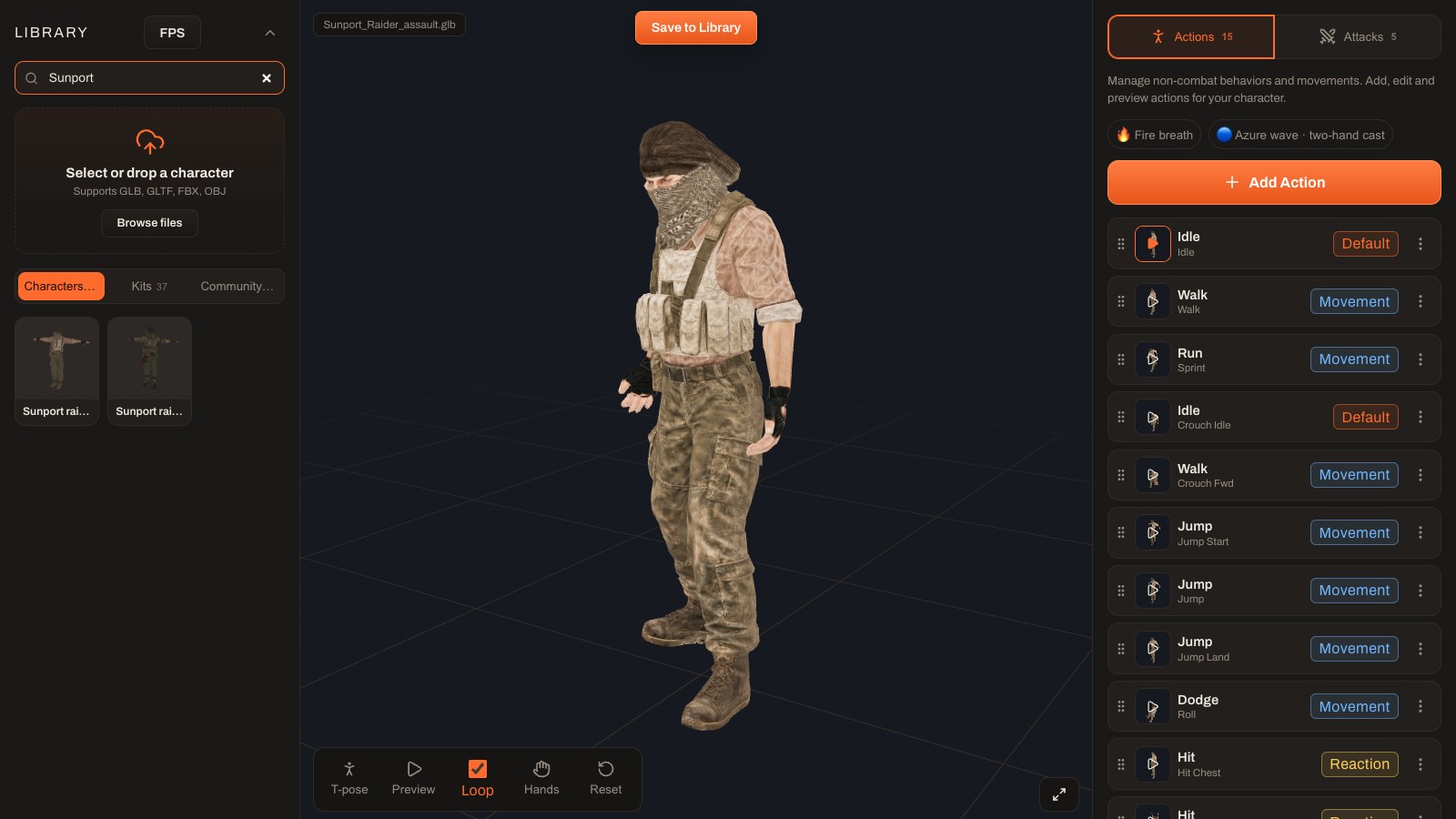
Illustrated workflow · actual Studio captures
FROM YOUR TERMINAL TO YOUR GAME
Sign in with your GripForge account, choose a workspace and connect your agent.
gripforge loginAsk for a rigged character, a VFX or an environment. Your agent calls the right GripForge tools.
gripforge --agent codexReview the result in the Studio, edit it and export for your game. Generation jobs keep running when you leave.
gripforge jobsBUILT WITH GRIPFORGE
From a bare prototype to characters, environments and effects working together.
Real gameplay captures. Prompt sequences illustrate example requests.YOUR AGENT. YOUR CHOICE.
Use GripForge AI with a shared monthly limit, or connect your existing agent.
Use the agent you already know, with its existing account, local tools and permissions.
One GripForge login. Create and refine your game with AI, using your project files and workspace tools.
Payment is confirmed in your browser. AI and paid generations share your monthly plan.
Code, plan and build with GripForge AI. Every plan includes Auto, Fast and Quality modes, project files, workspace tools and conversation history.
1× monthly usage
3× monthly usage
5× monthly usage
20× monthly usage
Usage levels are relative to AI Starter (1×). They compare GripForge plans, not Claude or Codex limits. Consumption varies with the mode, context and task.
Prices in USD, billed monthly. AI allowance renews after each successful payment and expires at the end of its billing period; it does not roll over. No automatic overage charges. AI and paid asset generation share this limit; no additional generation credits are debited for these calls. The final price and applicable taxes are confirmed at checkout.
You stay in control. Connecting the CLI does not purchase a plan. Subscribers share one usage limit for AI and generation. When that allowance is exhausted, new generations use available workspace credits, as they do without a subscription.
Compare CLI plansLET’S BUILD SOMETHING
Install GripForge CLI, link your workspace, and start with the agent of your choice.
Download CLI 0.3.15Requires Node.js 22.19+. GripForge AI sets up its terminal runtime. Codex and Claude Code are installed separately.
Read the MCP documentationnpm install -g https://gripforge.ai/cli/gripforge-cli-0.3.15.tgzgripforge login
gripforge connect gripforge
gripforge --agent gripforgeYour browser opens to confirm the code and choose a workspace.
gripforge switchChange agentgripforge resumeContinue your sessionFAQ
Use your existing GripForge account. Browser login lets you select a workspace and authorize this terminal. Run gripforge logout to revoke its access.
Run gripforge subscribe or open AI usage in your account. Choose an available monthly plan and confirm payment with Paddle. Your allowance activates after server confirmation. Paid generations and AI share the subscription limit. Native Codex and Claude Code do not require this subscription; their model usage stays with your provider.
Yes. Codex and Claude Code keep their native local file tools and permission prompts. GripForge adds the production tools and workspace connection.
Server-side generation jobs keep running. Use gripforge jobs to follow them and gripforge resume to return to your agent’s conversation. Each agent keeps its own history.
GripForge provides asset exports and integrations for Unreal Engine, Unity, Godot and Three.js. Available formats and editor actions depend on the asset and the target integration.
The dedicated public CLI repository is being prepared. The GripForge MCP client is already available on GitHub; it is a separate package.
GRIP-FORGE CLI